We moved our own site from Webflow to Drupal
Marketing leads, heads of digital, and business owners of a website
A Webflow to Drupal migration, run on qed42.com with X to Drupal, the QED42 harness that replatforms an existing website onto a real Drupal CMS. 569 articles and 2,007 images moved across, and the visual result kept intact.
The short version
- qed42.com ran on Webflow. It runs on Drupal 11 today, replatformed with X to Drupal, and the cutover is done: the main domain now serves the new site.
- The design came across intact. We did not redesign anything as part of the move.
- 569 insight article bodies migrated with their images: 2,007 images moved across.
- The backend is a real content model: paragraph components with typed fields, Views for every listing, real taxonomies, and zero custom modules carrying the site.
- Honest scope: we show you the comparisons and quote no single parity percentage, and animation-heavy sections are the hardest thing to reproduce exactly.
We built X to Drupal to move other people's sites onto Drupal. The first site we pointed it at in anger was our own.
That was deliberate. If a system claims to replatform a website faithfully, the fastest way to find out whether the claim survives contact with reality is to bet your own homepage on it. Our site is content-heavy, it has real listings with filters, a large insights library, case studies, forms, and a menu structure that matters. It is exactly the kind of site that shows up every weakness.
Why move off Webflow at all?
Webflow did a good job for us. It let a small team ship a strong-looking marketing site quickly, and it kept the design tight. For plenty of companies that is the right answer for a long time.
Our reason to move was specific. QED42 builds Drupal for a living, and our own content operations were running somewhere else. That gap showed up in small ways every week: an editor wanting to restructure a listing, a campaign page needing a layout that did not exist, our insights library growing into something we wanted to model, filter and reuse properly.
We wanted our own site to work the way we tell clients a content platform should work. Structured content, editors composing pages from real components, listings assembling themselves, workflow and permissions in the platform.
What came across, and what it looks like
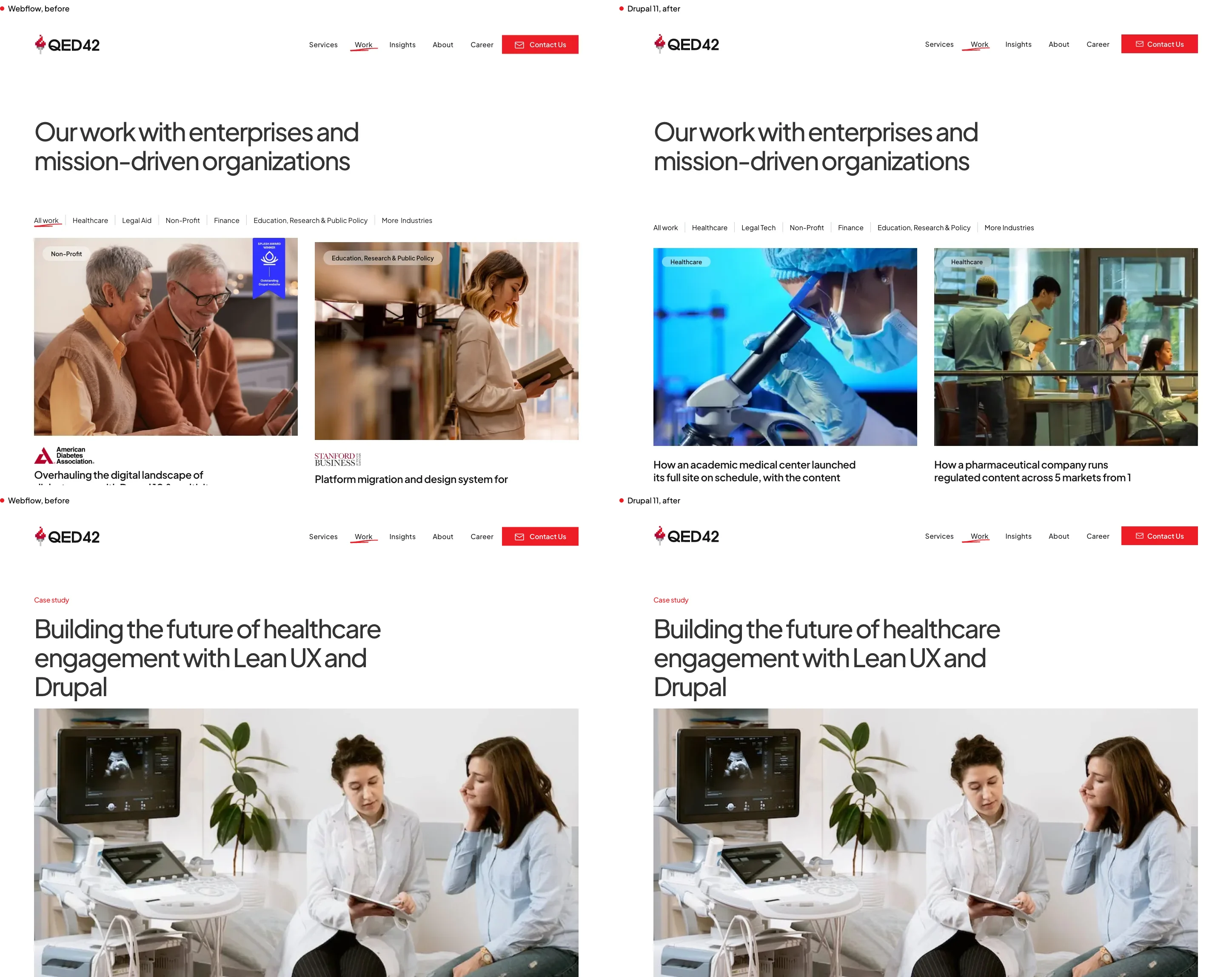
The design came across. That is the part people want to see first, so here it is at desktop and mobile.
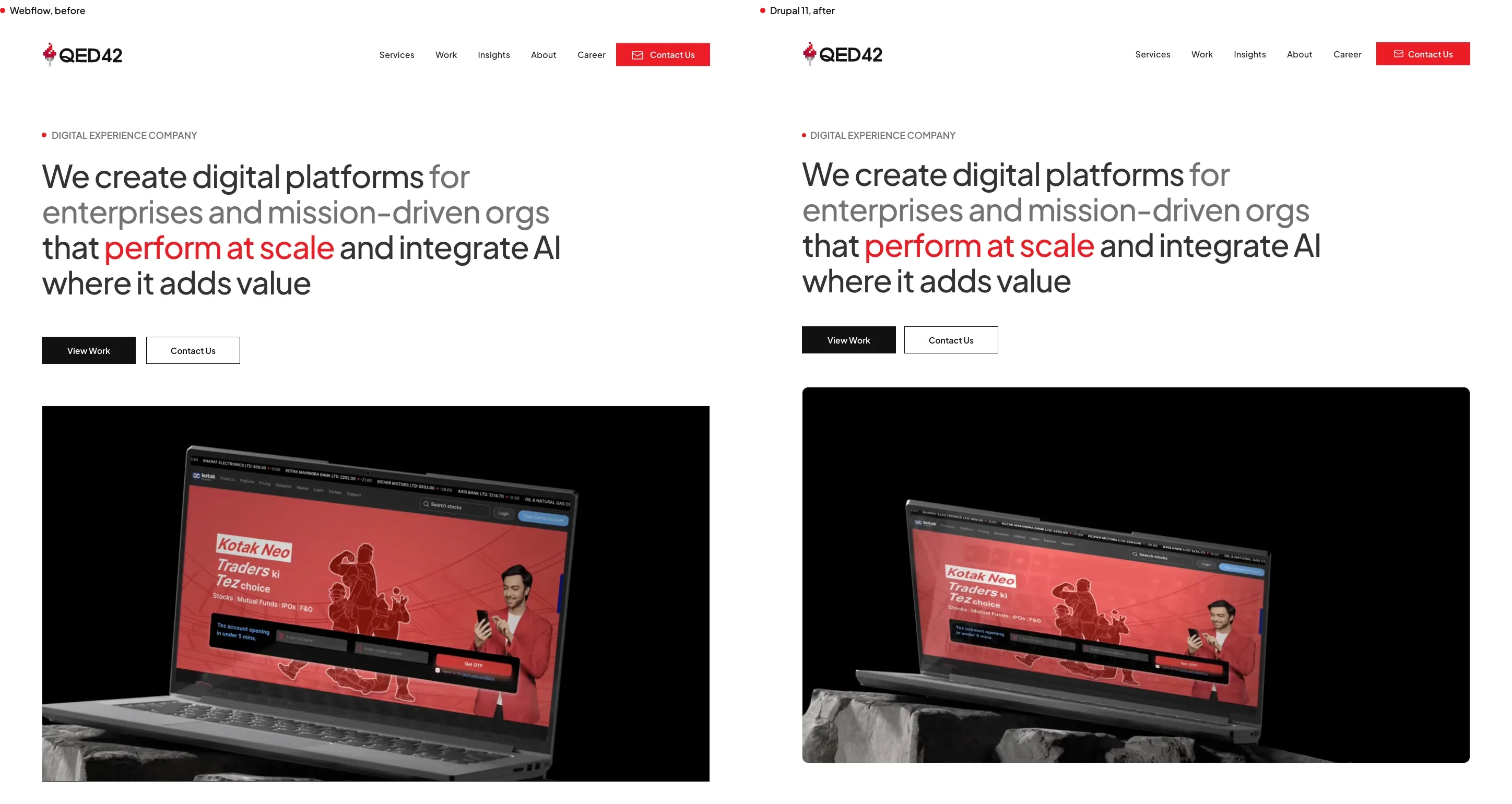
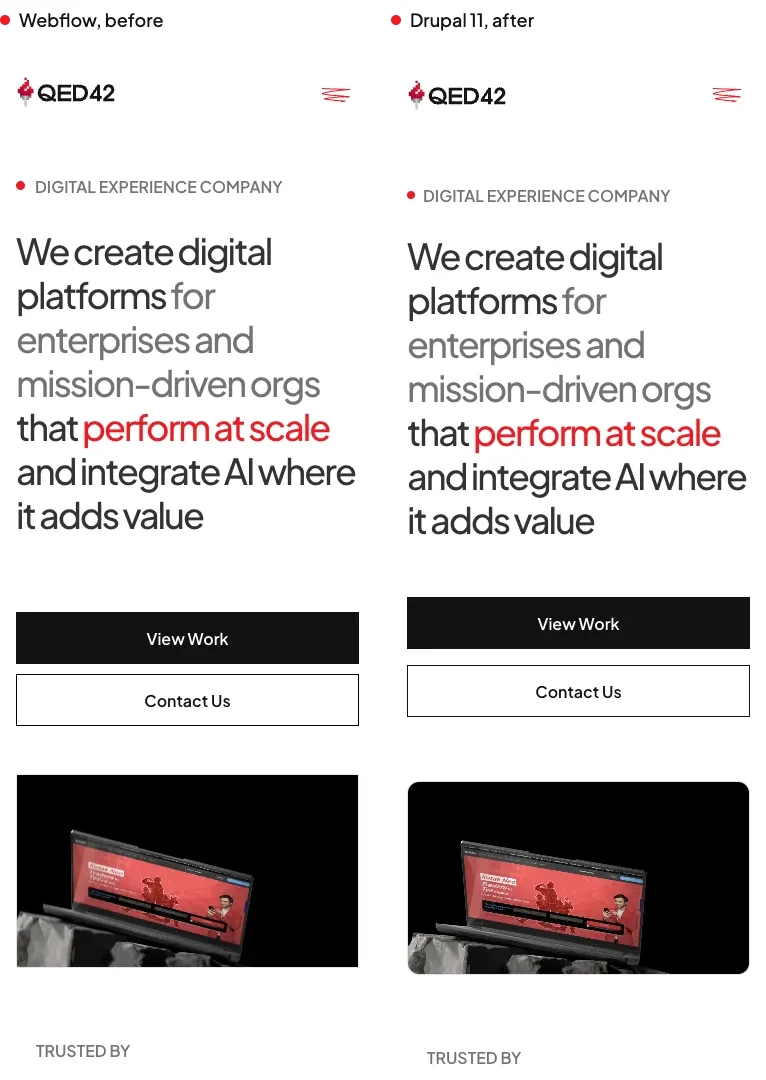
The content came across too, which on a site like ours is the larger job. Our insights library holds hundreds of articles with rich bodies, inline images, captions, code blocks, tables and bylines. All of it moved, and the images moved with it into Drupal's own media and file handling so Drupal manages them as real assets with their own metadata.
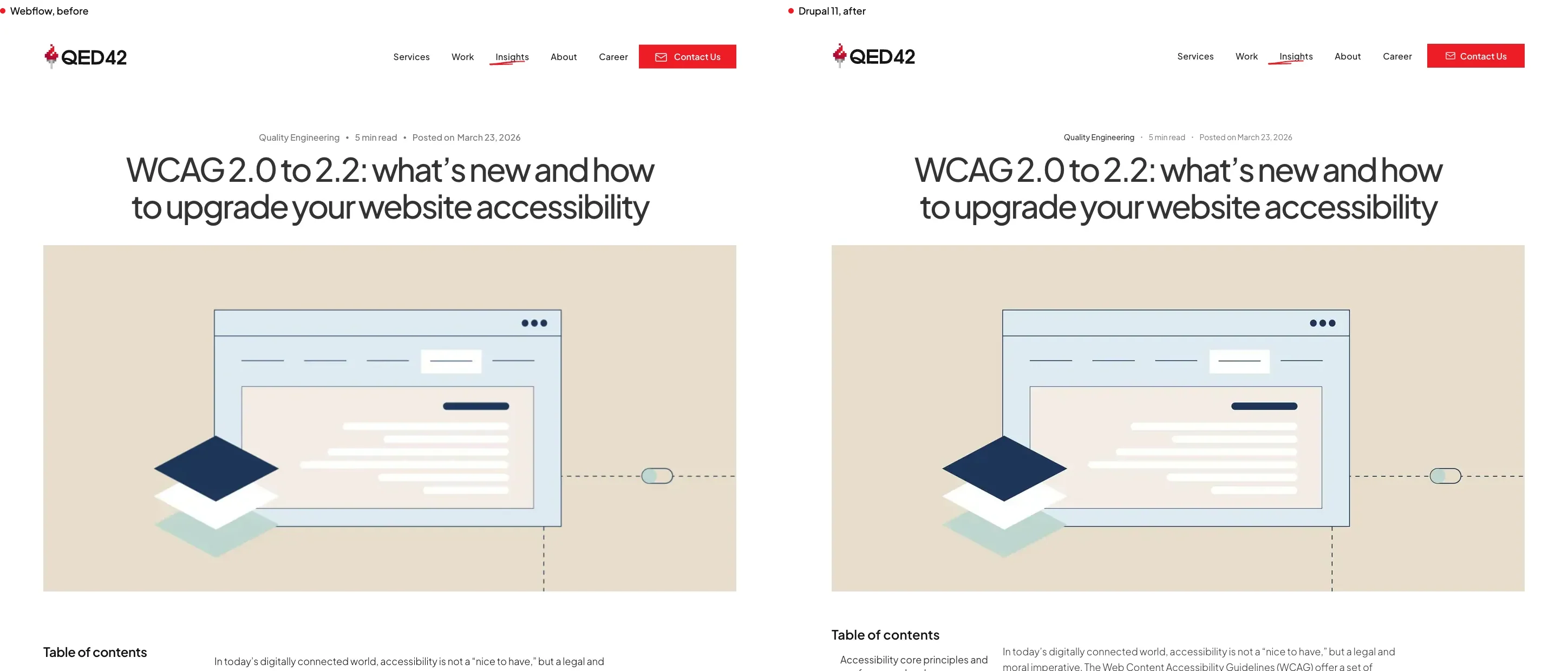
The numbers on the content side:
| What | Count |
|---|---|
| Insight article bodies migrated | 569 |
| Images moved across | 2,007 |
| Custom modules in the shipped site | 0 |
| Drupal version | 11 |
That zero is the one I am most pleased with. It is easy to make a migrated site render correctly by putting the awkward parts in a custom module and moving on. A site carried by a bespoke module is a site the next team has to reverse engineer. Ours runs on Drupal core, contributed modules and configuration, which means anyone who knows Drupal can pick it up.
What the listings do now
This is where a replatform earns its money, and it is invisible in a screenshot of a homepage.
Our insights listing is a Drupal View, which means Drupal assembles the list from the content itself. It filters by category, sorts by date, and pages properly. When somebody publishes an article, it appears on the listing, in the related content block, in the "from the team" block on other pages, and in the sitemap. Nobody edits a template. Nobody pastes a card into four places.
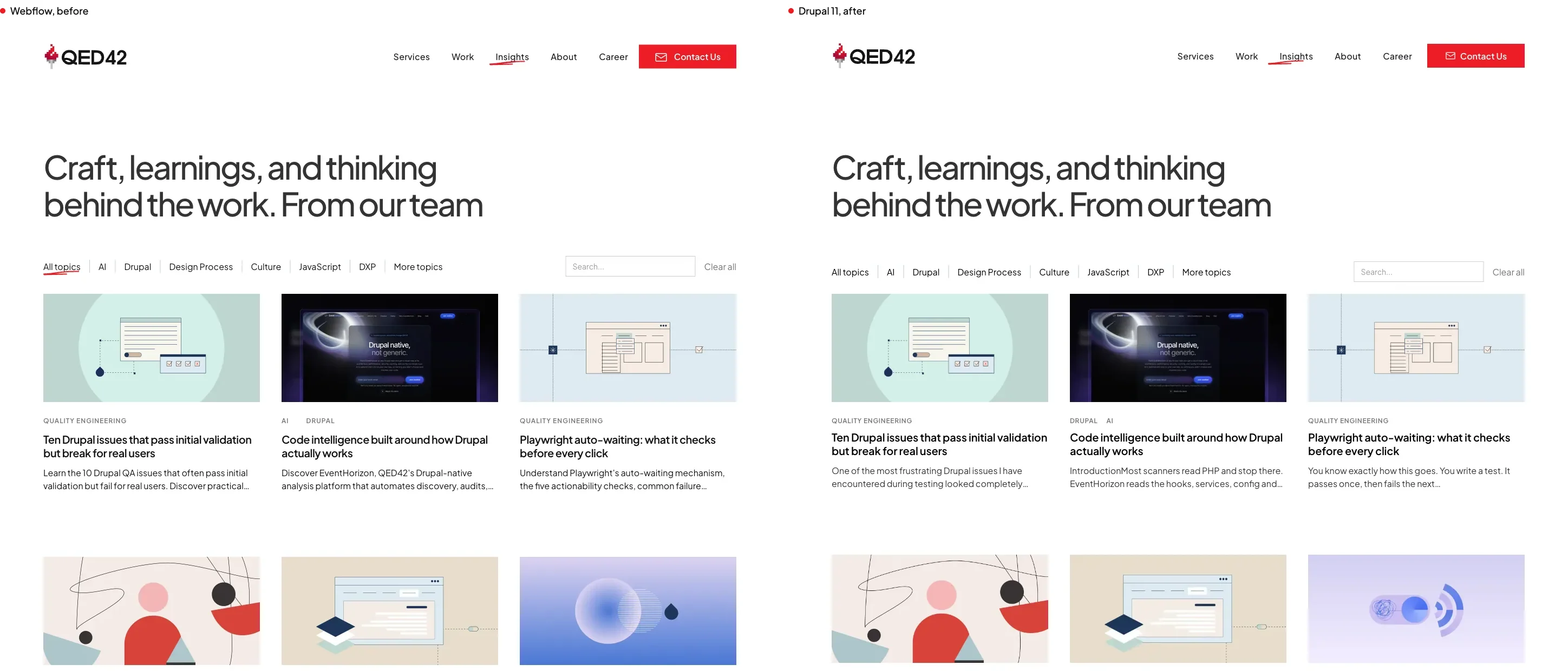
The same pattern runs the work section. The listing works the same way, each case study is a content type with proper fields, and the related-work and next-case-study blocks assemble themselves from the same content, filtered by whatever you are reading at the time. Add a case study and everywhere it should appear, it appears.
Editorial details that used to be baked into the page now derive from the content. Read time is calculated from the article. Categories come from taxonomy terms. That distinction matters because it decides whether content created after the migration behaves like content that came through it. On our site, an article written next month gets its read time and its listing placement exactly like the 569 that came across.
What an editor sees
The test I care about most. Open a page for editing and look at what you get.
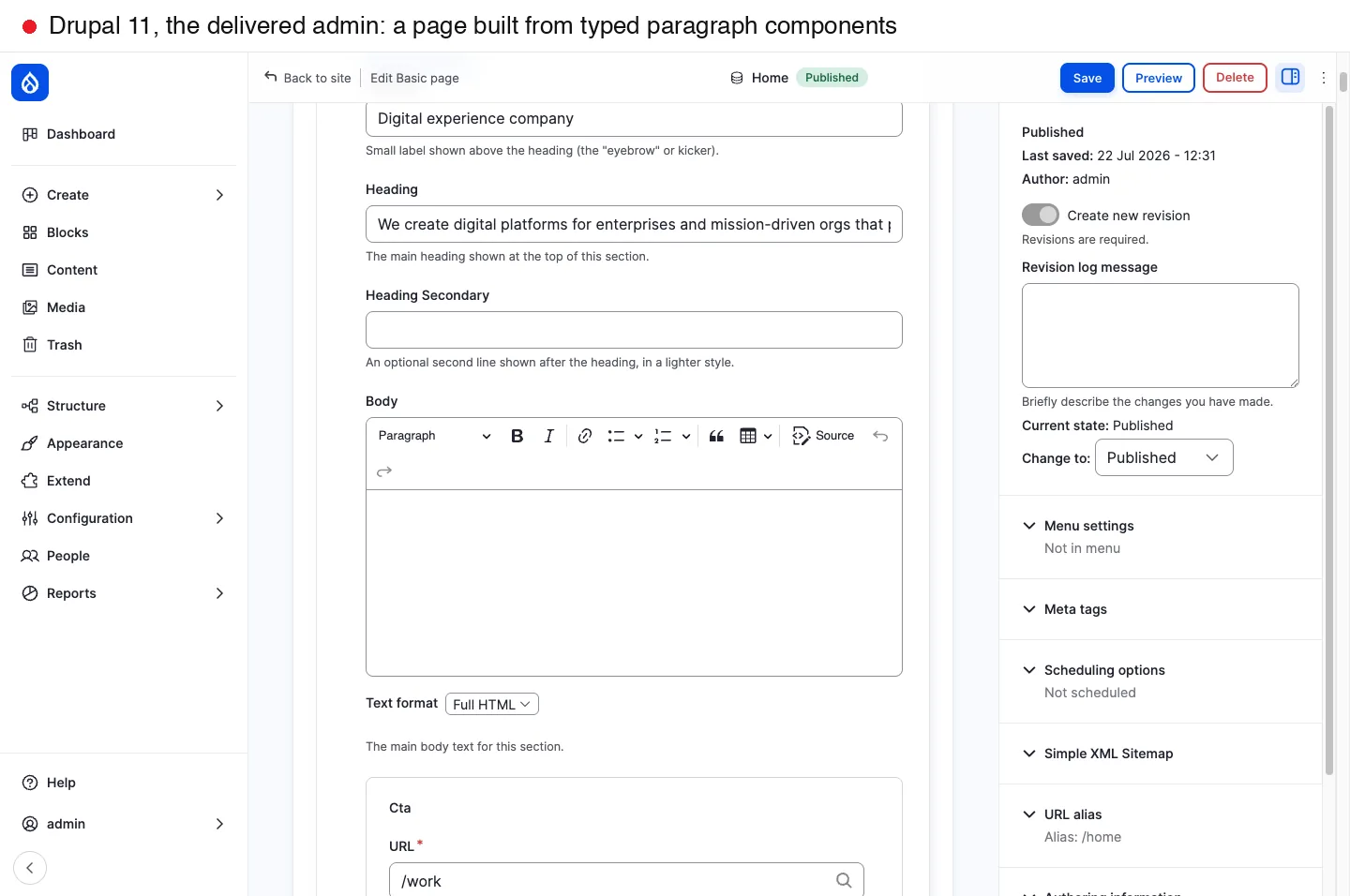
Each page is an ordered set of paragraph components. Each component has typed fields with native Drupal widgets: a text field for a heading, an image upload for an image, a link field for a call to action, a repeatable group for list rows. An editor can reorder components, add a new one, change an image, and publish.
Getting to that was the hardest single decision in the whole project, and the story behind it is in the version-by-version log. An early generation stored every component as one JSON payload in a single field. It rendered perfectly and it handed editors a textarea full of code. Fixing that reset what we considered finished.
What was genuinely hard
Worth being straight about, because a replatforming story with no rough edges is not a real one.
Animation and video-heavy sections. A hero with a video background or a scroll-driven animation is intrinsically hard to compare against a static reference, and it is the place where remaining differences cluster. We treat content and structure as non-negotiable and visual reproduction of motion as best effort.
Content that arrived dirty. Content coming out of any site builder carries markup conventions from that builder. Getting it into clean, structured Drupal content, so the platform's own text formats and filters do the sanitising, took a dedicated pass. Skipping that pass gets you a site that renders correctly and carries a mess in the database.
Details that look like content and are not. Our homepage had category chips that were part of a filtering mechanism rather than editorial content. Captured naively they become hard-coded content an editor cannot change. Telling those apart is a judgement call, and it is one we now handle deliberately.
Putting one number on parity. We show comparisons and quote no single parity percentage, and that is a deliberate choice. Parity varies by page, by viewport and by how much motion a section carries, so any average flatters the easy pages and hides the hard ones. A screenshot pair at the same viewport and scroll position tells you more in half a second than a percentage does, and you get to judge it yourself.
What we would tell someone considering the same move
Keep the design fixed. A replatform where the design also changes turns into two projects and a much longer review cycle. Moving as-is and redesigning later, from a platform where redesign is cheap, is the easier sequence.
Care about the content model more than the pixels. The pixels are what stakeholders check and the model is what your team lives in. A site that looks right and models badly will frustrate people for years.
Ask what happens to content created after the migration. It is the question that separates a genuine platform move from an expensive snapshot. If new content does not behave like migrated content, something has been hard-coded that should have been modelled.
This post is part of the X to Drupal series, alongside the pillar, why replatform into Drupal and what X to Drupal provides, and the companions on fourteen generations of building it, what it taught us about working with AI, what your team gets afterwards, what makes the delivered site readable to LLMs, and how we check the result really matches.
Frequently asked questions
How long does a Webflow to Drupal migration take?
It depends far more on the size of the content library and the number of distinct page templates than on how the design looks. Our own site is content-heavy with several listing types, and the harness run did the transcription work on it in days. For a timeline on your site, the template count and the content volume are the two numbers to send us.
Will my site look the same after moving to Drupal?
That is the design goal, and on our own site the visual result came across intact. Content and structure are treated as non-negotiable. Video backgrounds and scroll-driven animation are the hardest things to reproduce exactly, so those are where any remaining differences sit.
Do you have to redesign when you replatform?
No, and keeping the design fixed is usually the cheaper, lower-risk path. It removes a round of stakeholder review and keeps the project focused on the content model, which is where the long-term value sits.
What happens to content published after the migration?
It behaves like everything else. Read time calculates from the article, listing placement comes from the content type and taxonomy, and related content blocks pick it up automatically. Getting this right is the difference between a platform move and a snapshot.
Does the migrated site need custom modules to work?
Ours does not. The shipped site runs on Drupal core, contributed modules and configuration, with zero custom modules carrying it. That matters because a site held together by bespoke code is a site the next team has to reverse engineer.
What happens to SEO on a move like this?
The risks are URLs, metadata and redirects, and all three are planning work. We kept the URL structure, carried metadata across, and Drupal's SEO tooling covers sitemaps, metadata and path patterns natively.
Can I see the site?
Yes, and it is the site you would have visited anyway. qed42.com serves the replatformed Drupal 11 site today, built with X to Drupal from the Webflow original. The machine-readable surfaces the migration configures are open on it too, so you can check https://www.qed42.com/llms.txt and https://www.qed42.com/jsonapi rather than take our word for any of this.